Linking a Number Currently Active in the Mobile WhatsApp Business App
If the number you want to use is ALREADY active and in use on the WhatsApp Business app on your smartphone, Meta provides an official Link a WhatsApp Business account (Coexistence) feature. With this feature, you do not need to delete the WhatsApp account from your phone, contacts and chat history remain safe, and the official Facebook Business verified account will send a verification chat directly to your mobile WhatsApp!
How Does It Work?
When you enter a number that is already active as a WhatsApp Business account, Meta automatically detects that the number is not a blank number. Instead of sending a standard SMS OTP, Meta's system triggers the Link Account flow:
QR Barcode on the Popup Screen: Meta displays a QR barcode on the authorization popup screen.
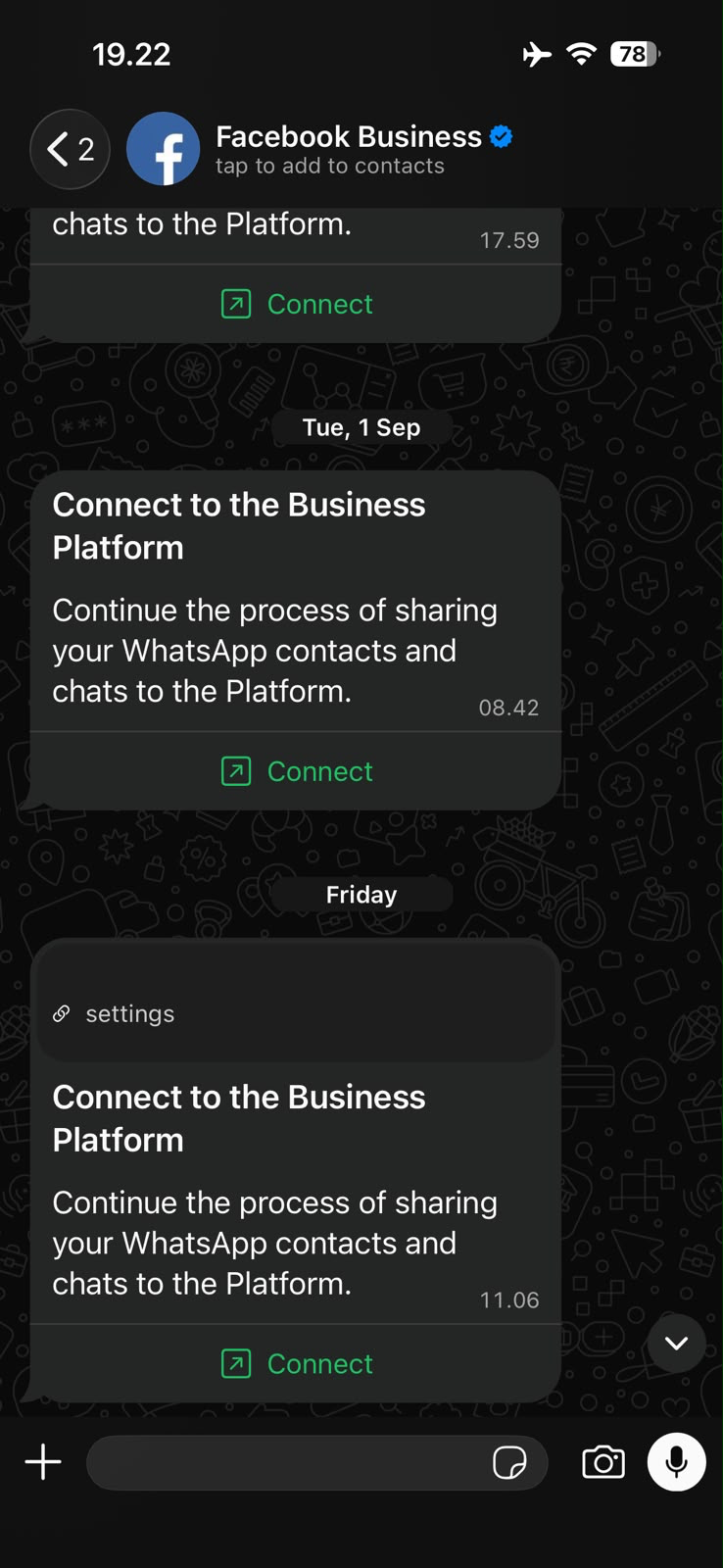
Official Message from Verified Facebook Business Account: Simultaneously, the verified blue-badged Facebook Business account sends a chat to your mobile WhatsApp app with the message: Connect to the Business Platform: Continue the process of sharing your WhatsApp contacts and chats to the Platform.
Steps to Link Your Mobile WhatsApp Business Number
Open Settings > Channels in Sociovite and click Connect your account on the WhatsApp Business card.
In the modal dialog, click Connect WhatsApp Business to open the Meta popup.
At the Add your WhatsApp phone number step, select Enter a new phone number and type in the WhatsApp Business number currently active on your phone.
The Meta popup screen will display QR barcode scanning instructions.
Open your phone and check for a new incoming chat message in the WhatsApp app from the verified Facebook Business account.
Tap the Connect button inside that message (or scan the QR barcode displayed on the popup screen using WhatsApp's built-in camera scanner).
Confirm your consent to share contacts and chats with the platform. Once finished, the popup on your computer will close automatically and your WhatsApp Business number is immediately active in Sociovite!