Connect an Existing WhatsApp Business Number
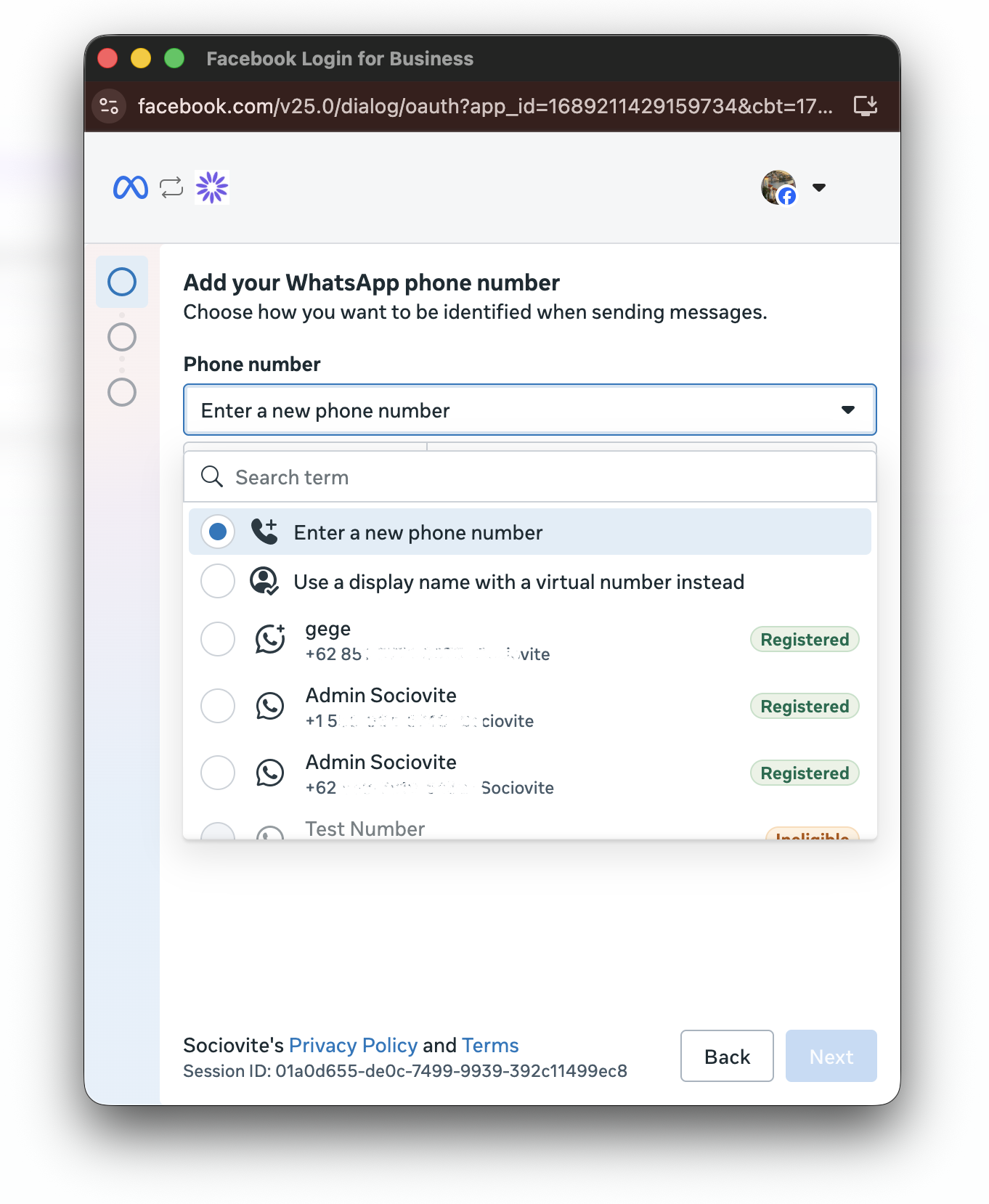
Use this guide if your business phone number is already registered in a WhatsApp Business Account in Meta Business. You do not need to create a new number or request a new SMS OTP. During the connection process, simply select the registered number from the list.
If Your Number Is Not Yet Registered in Meta Business
Register or link the number in Meta Business before connecting it to Sociovite:
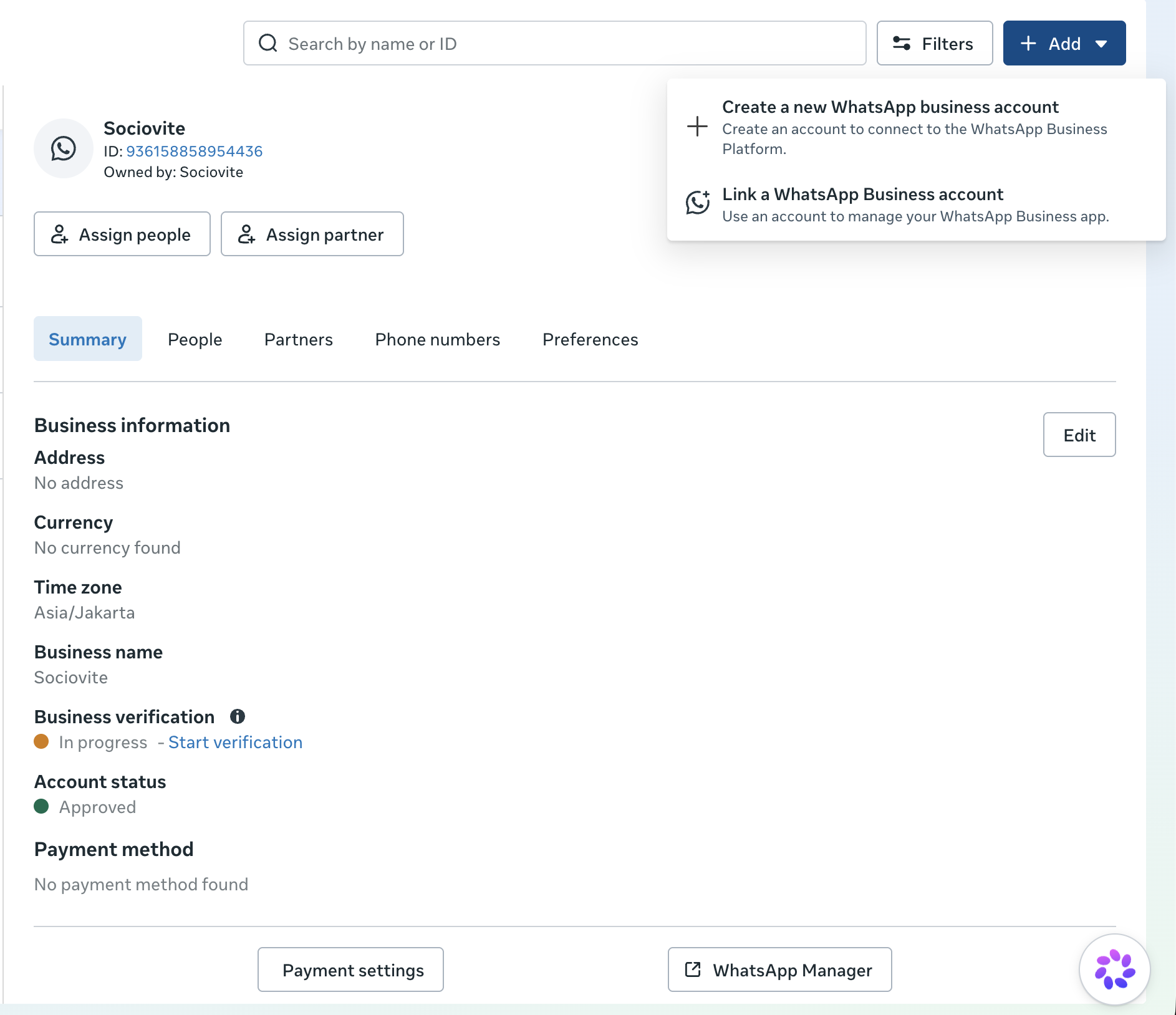
Go to business.facebook.com and open WhatsApp accounts.
Click + Add button in the top right corner.
Choose one of the following options: Create a new WhatsApp business account for a new number Or Link a WhatsApp Business account for a number currently active in the WhatsApp Business mobile app.
Complete the setup in Meta.
Connect the Number to Sociovite
In Sociovite, go to Settings > Channels and click Connect your account on the WhatsApp Business card.
In the prerequisite modal dialog, click Connect WhatsApp Business.
In the Meta popup, click Continue.
Open the Phone number dropdown.
Select a number marked Registered, Click Next.
Meta will complete the connection and close the popup automatically. Return to Sociovite and make sure the WhatsApp Business account status is Connected.