Connecting Instagram Direct (Standalone)
The Standalone method is intended for businesses that only have a professional Instagram account and do not wish to or do not have a link to a Facebook Page. Authorization is performed directly via Instagram's official login portal.
Prerequisites Checklist
Make sure the following requirements are met:
Professional Account: Your Instagram account must be a Professional Account (Business or Creator). Personal accounts are not supported.
Message Access Enabled: In the Instagram mobile app, go to Settings and privacy > Messages and story replies > Message requests. Under Connected tools, turn on Allow access to messages.
Login Credentials: Prepare your Instagram username and password. If two-factor authentication is enabled, keep your verification device or authenticator app ready.
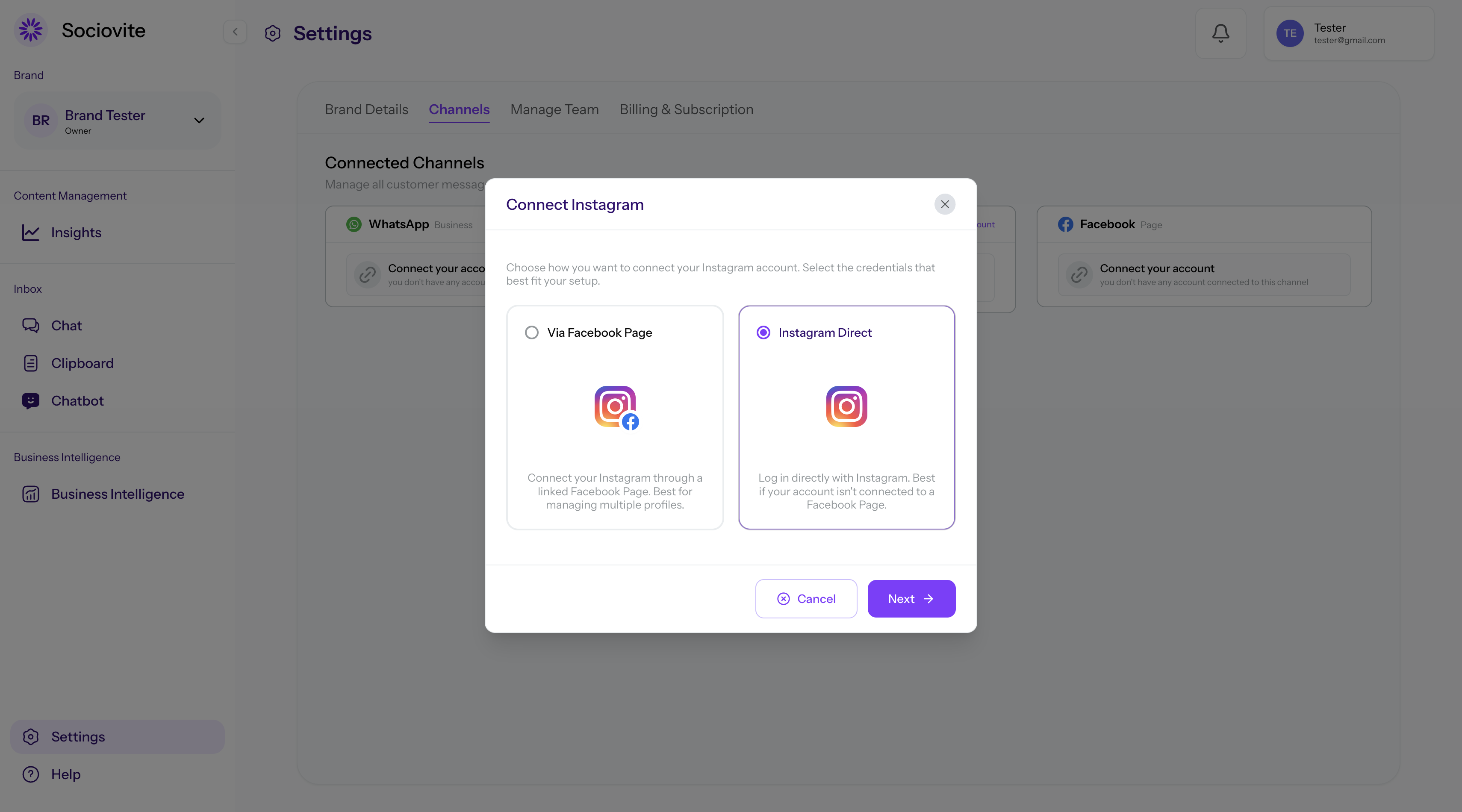
Connection Steps
In Sociovite, go to Settings → Channels.
On the Instagram card, click Connect your account, then select the Instagram Direct option.
An Instagram login popup window will open. Enter your Instagram username and password.
Review the requested permissions, then click Allow.
Return to Sociovite and make sure the Instagram account status is Connected.